PesaShift reads your M-PESA or Airtel Money statement on your phone and shows you what it says. Every fee, every Fuliza charge, and where your money actually went.
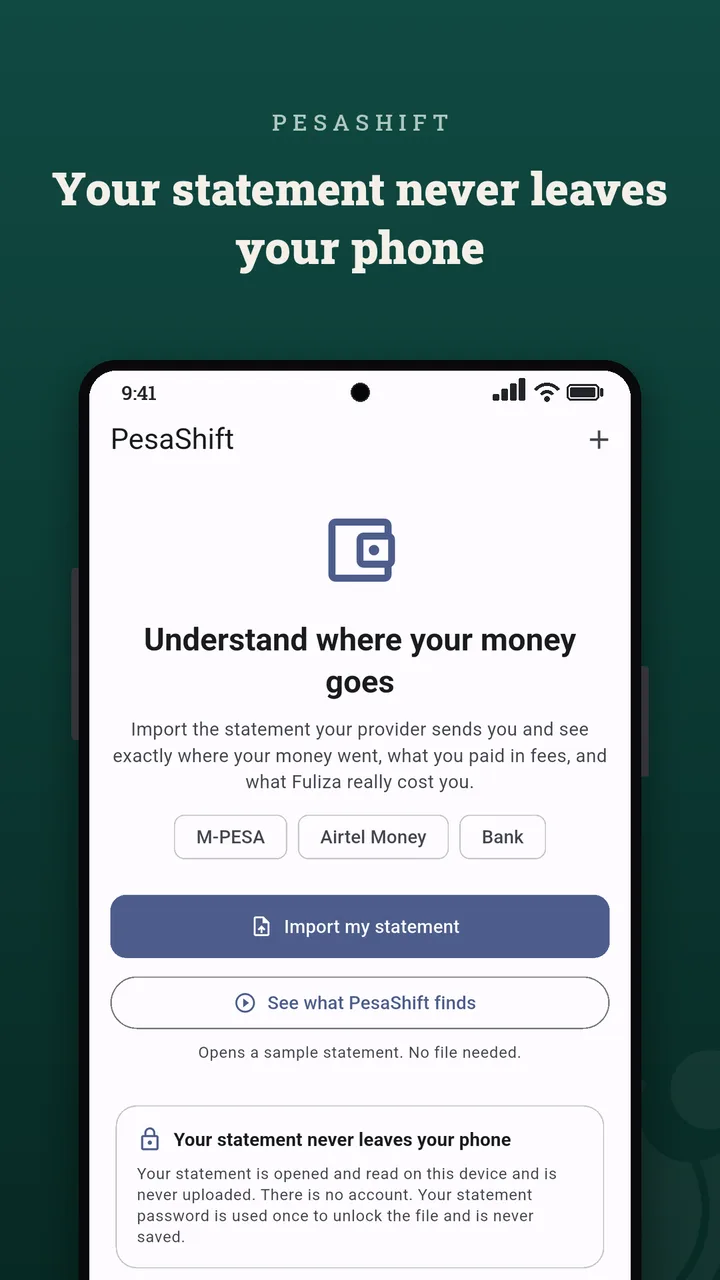
It all happens on your device. The statement is never uploaded, there is no account to create, and the app cannot read your SMS.
Free for Android. Google Play release in review. Not affiliated with Safaricom or Airtel.
| Buy Goods: Naivas | -1,250.00 | bal 8,614.20 |
| Send: J. Wanjiru | -2,000.00 | bal 6,591.20 |
| balance short by fee found | -23.00 | |
| Fuliza repayment | -545.00 | bal 6,046.20 |
Your statement does not always itemise its charges. PesaShift walks the balance column and recovers the ones it hides. That is arithmetic, not an estimate.
What it does
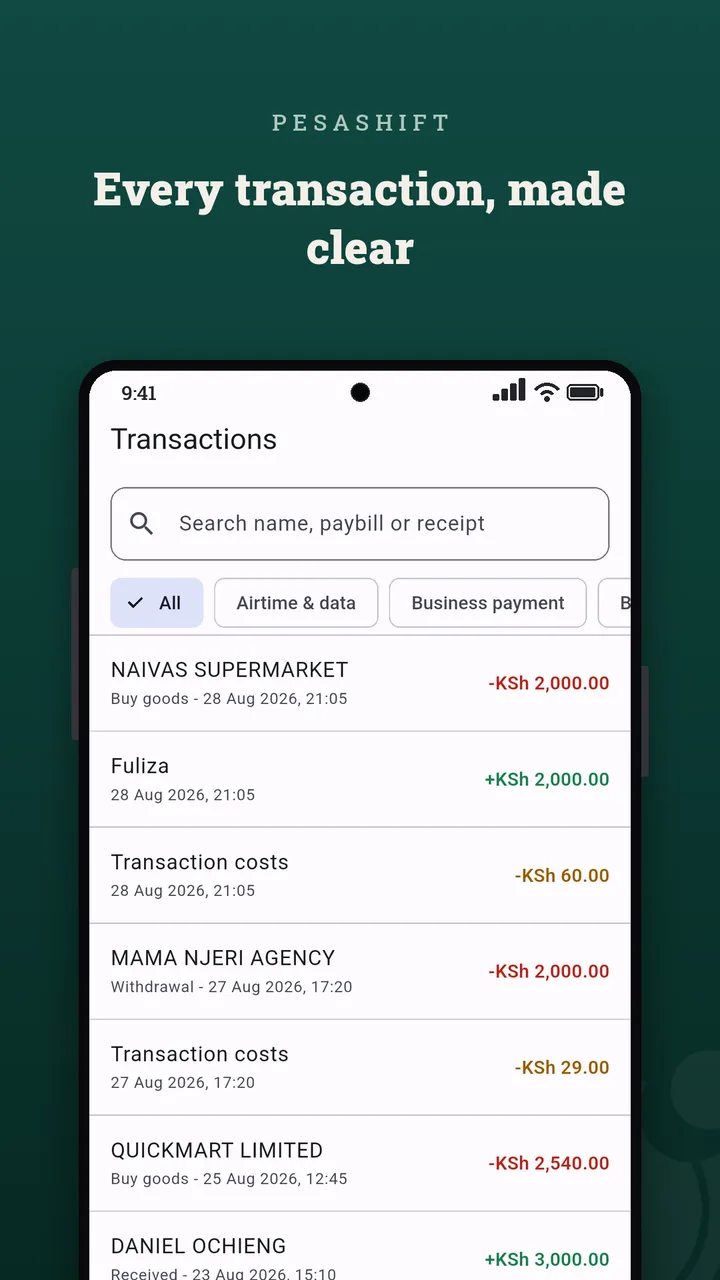
The full statement is the one record with everything in it: every transaction, every charge, every borrowed shilling. PesaShift turns that PDF into answers.
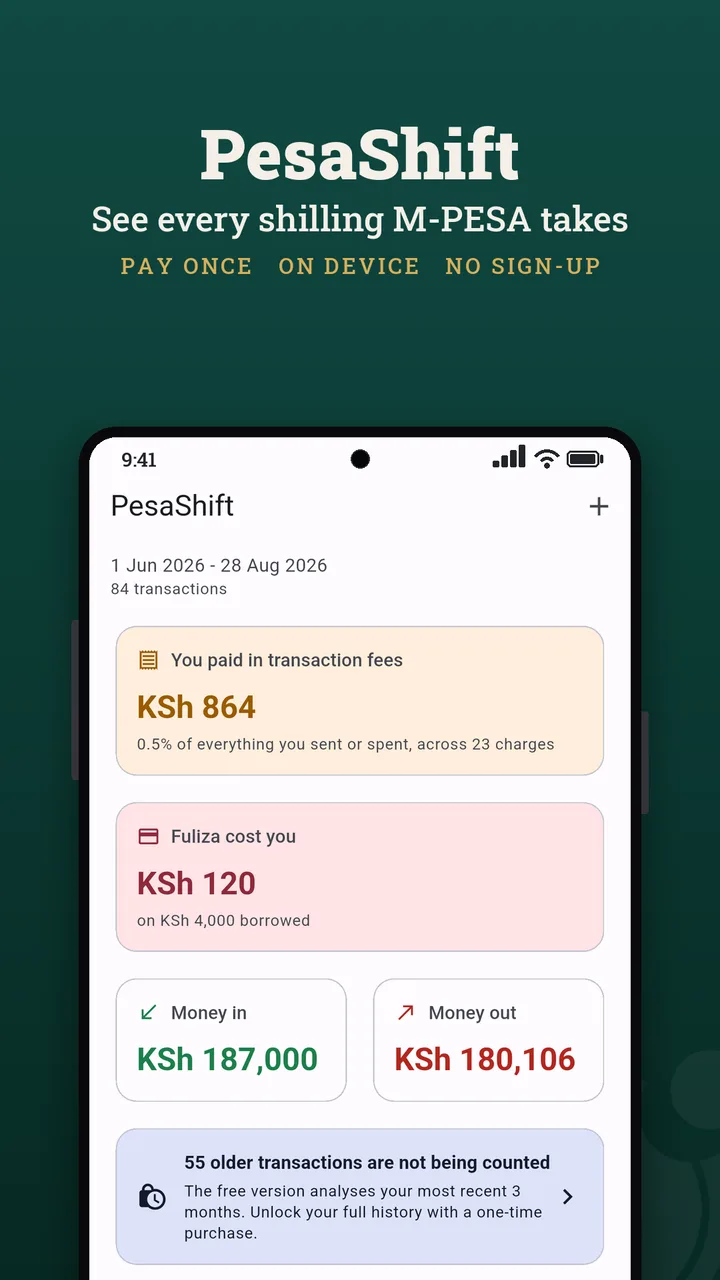
A clear total of what transaction fees and Fuliza cost you, month by month, so nothing hides in the small print.
Airtel Money folds fees into debit totals without listing them. PesaShift walks the balance column and surfaces every charge the statement never itemises.
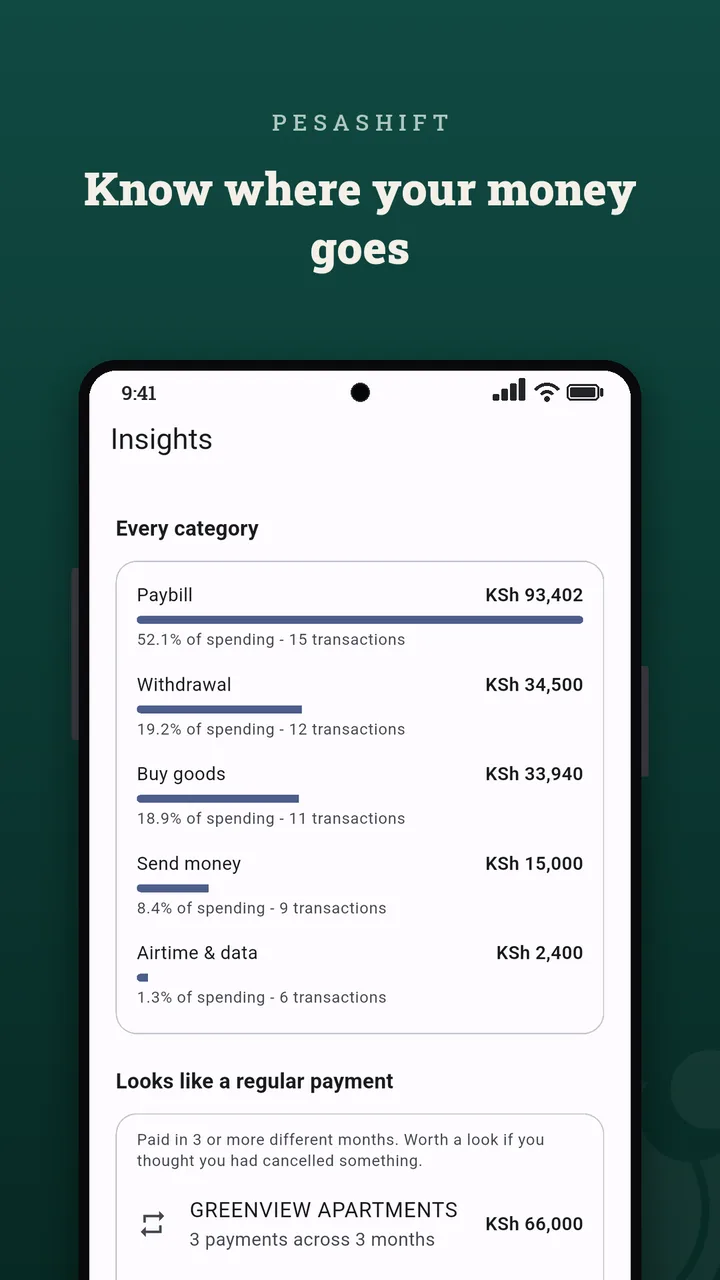
Simple charts group your payments into categories so the picture is clear at a glance, month by month.
How much you borrowed, what it cost you, and how often. The numbers your statement scatters, in one place.
M-PESA and Airtel Money statements are fully supported, and common bank PDF statements with a running balance also import.
A built-in demo statement lets you explore every chart before you import anything of your own.
Free tool
Pick a network and type an amount to see its published fee for sending money and for withdrawing at an agent. These are the list prices. PesaShift reads your own statement to show what you were actually charged, month by month, including the charges the statement never itemises.
For KSh 1,000, M‑PESA and Airtel Money both charge KSh 13 to send off‑net and KSh 29 to withdraw at an agent. The one difference: Airtel‑to‑Airtel sends are free.
Published consumer tariffs, checked 5 August 2026 (M‑PESA, Airtel). Buy Goods (Lipa na M‑PESA) till payments are free. Rates change, so confirm with the operator before relying on them.
M‑PESA and Airtel Money are trademarks of their respective owners. PesaShift is independent and is not affiliated with, or endorsed by, Safaricom or Airtel.
Screenshots
Get your statement
M-PESA: dial *334#, choose My Account, then M-PESA Statement. Airtel Money: dial *334#, choose My Account, then Airtel Statement. Banks: download a PDF from your banking app.
Your provider emails you the PDF. M-PESA protects it with a password: enter it in the app and the file is unlocked on your phone. The password is not sent anywhere.
Your fees, your Fuliza cost, hidden charges, and a breakdown of where your money goes, all computed on your device.
Download
PesaShift is rolling out across stores. Direct download, Zapstore, the Amazon Appstore, and the Huawei AppGallery are live today; the remaining store reviews are in progress.
Free to explore your most recent months, with a built-in sample statement. Pro is a one-time unlock, KSh 249 at launch (standing price KSh 349). It unlocks your full history and clean reports you can share or keep. Never a subscription.
FAQ
No. PesaShift opens and reads the PDF on your phone. Your statement, your balance, and who you paid never leave the device. There is no user database and no account to create. The only time the app opens the internet is to send a message you write on the contact page, or to handle a payment you start.
No. PesaShift never asks for SMS permission, so it cannot read your texts. You pick your statement file yourself, and that one file is all it sees.
Dial *334#, choose My Account, then M-PESA Statement, and Safaricom emails you a password-protected PDF. You can also export one from the M-PESA app. For Airtel Money, dial *334#, choose My Account, then Airtel Statement.
You enter it in the app and the PDF is unlocked on your phone. The password is not sent anywhere.
M-PESA full statements, Airtel Money statements, and common bank PDF statements with a running balance column. Amounts are shown in the statement's own currency, from KES to TZS, UGX, GHS, NGN and more.
Free to explore your most recent months, with a built-in sample statement to try first. Pro unlocks your full history and clean shareable reports for a one-time price, KSh 249 at launch. It is never a subscription.
The Google Play release is in review. Today you can download the signed APK directly from GitHub, install it from Zapstore, get it on the Amazon Appstore, or install it from the Huawei AppGallery.
No. PesaShift is an independent app. It is not affiliated with, endorsed by, or connected to Safaricom, M-PESA, or Airtel. Those names are used only to describe the statements the app reads.
 PesaShift